How to Use Jupiter DEX on Solana in 2026: Complete Beginner to Pro Guide
Affiliate Disclosure: This article may contain affiliate links. We may earn a commission at no extra cost to you. All opinions are our own.
Marcus Chen
Senior Crypto Analyst & Educator
Certified Blockchain Professional | Former Wall Street Analyst
Marcus Chen is a cryptocurrency analyst and educator with over 8 years of experience in digital asset trading. He has helped thousands of beginners navigate the crypto markets through practical, actionable education.
How to Use Jupiter DEX on Solana in 2026: Complete Beginner to Pro Guide
If you've been trading on Solana, you've almost certainly heard of Jupiter DEX. It's the dominant DEX aggregator on the Solana blockchain — routing over 50% of all Solana DEX volume through its smart engine. Whether you want to swap tokens at the best price, set limit orders, automate DCA purchases, or earn yield by providing liquidity, Jupiter DEX on Solana is the one-stop platform that makes it all possible. This guide walks you through everything, from connecting your wallet to executing advanced strategies in 2026.
What Is Jupiter DEX and Why Does It Matter?
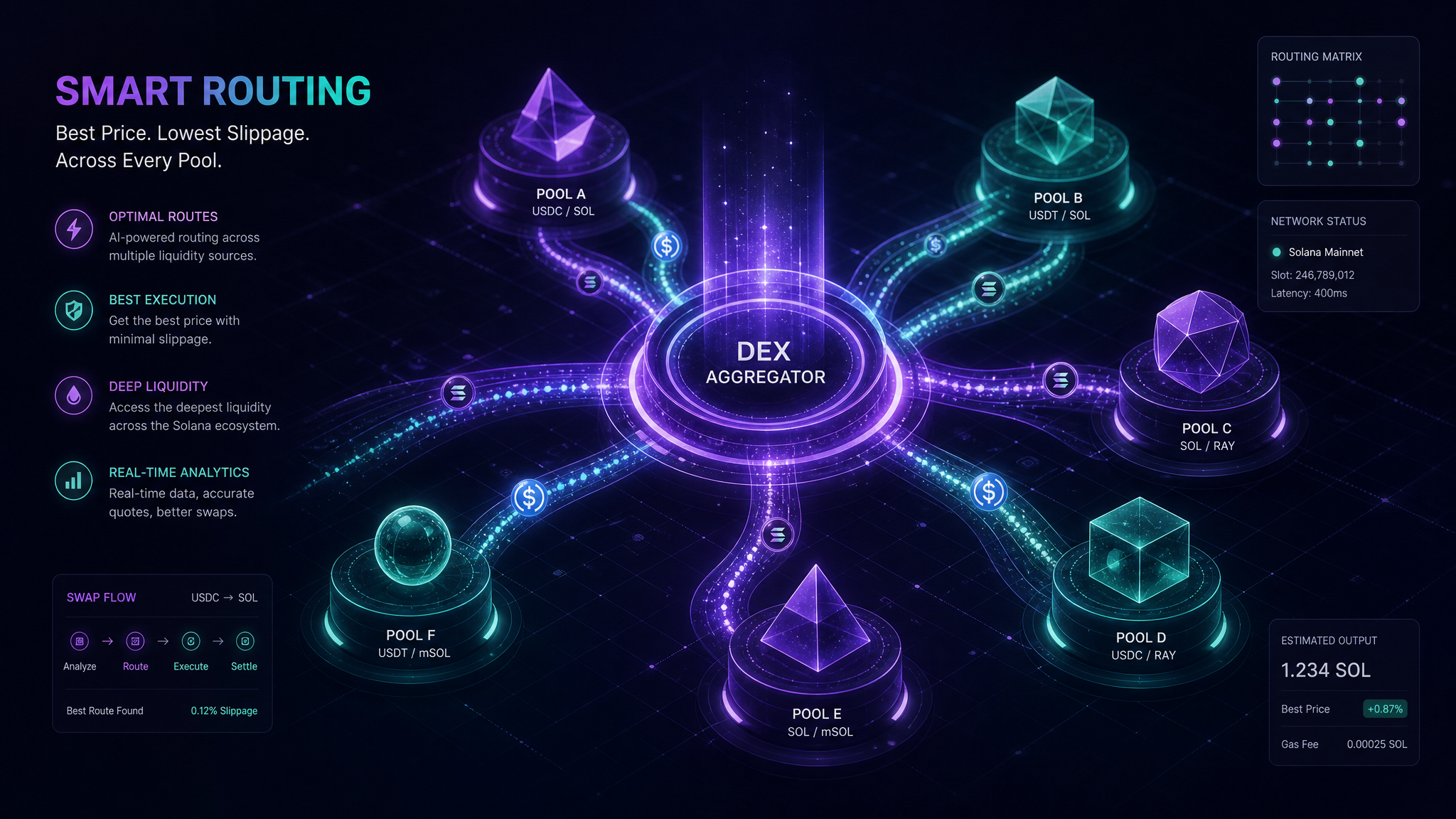
Jupiter isn't just another decentralized exchange. It's an aggregator — meaning it scans dozens of Solana liquidity pools simultaneously (Raydium, Orca, Meteora, and more) and routes your trade through the most efficient path. The result? You get better prices than you'd find on any single DEX, with minimal slippage.
Here's a quick snapshot of what Jupiter offers in 2026:
- Token Swaps — Best-price routing across all major Solana DEXs
- Limit Orders — Set target prices and let the protocol execute automatically
- DCA (Dollar-Cost Averaging) — Automate recurring buys to smooth out volatility
- Perpetual Futures — Up to 100x leverage on SOL, ETH, and BTC
- JupSOL Liquid Staking — Earn staking rewards while keeping assets liquid
- Jupiter Lend — Supply stablecoins to earn interest
The JUP token governs the protocol, and the Jupiter DAO votes on fee structures and upgrades. It's a full DeFi ecosystem, not just a swap interface.
Step 1: Set Up Your Solana Wallet
Before you touch Jupiter, you need a non-custodial Solana wallet. Phantom is the most popular choice — it's available as a browser extension (Chrome, Firefox, Brave) and as a mobile app. Solflare and Backpack are solid alternatives if you prefer a different interface.
How to Install Phantom Wallet
- Go to phantom.app (always verify the URL — phishing sites are common)
- Click "Download" and install the browser extension
- Create a new wallet and write down your 12-word seed phrase on paper
- Never store your seed phrase digitally — no screenshots, no cloud notes, no emails
Once your wallet is set up, you need SOL to pay for transactions. Solana fees are tiny — typically under $0.01 per transaction — but you need at least 0.05 SOL in your wallet to avoid failed transactions. Buy SOL on Coinbase, Kraken, or Binance and transfer it to your Phantom address.
Speaking of security: once you start accumulating meaningful crypto holdings, consider moving long-term assets to cold storage. Protect your crypto assets with a Ledger hardware wallet — the gold standard in cold storage security.
Step 2: Connect to Jupiter (jup.ag)
Always navigate directly to jup.ag. Bookmark it. Never click links from Twitter DMs, Telegram groups, or Discord messages — phishing sites that mimic Jupiter's interface are a real threat.
- Go to jup.ag
- Click "Connect Wallet" in the top-right corner
- Select Phantom (or your wallet of choice) from the list
- Approve the connection request in your wallet extension
Jupiter is non-custodial — it never holds your funds. It simply facilitates transactions between your wallet and the underlying liquidity pools. You remain in control at all times.
Step 3: Execute Your First Token Swap
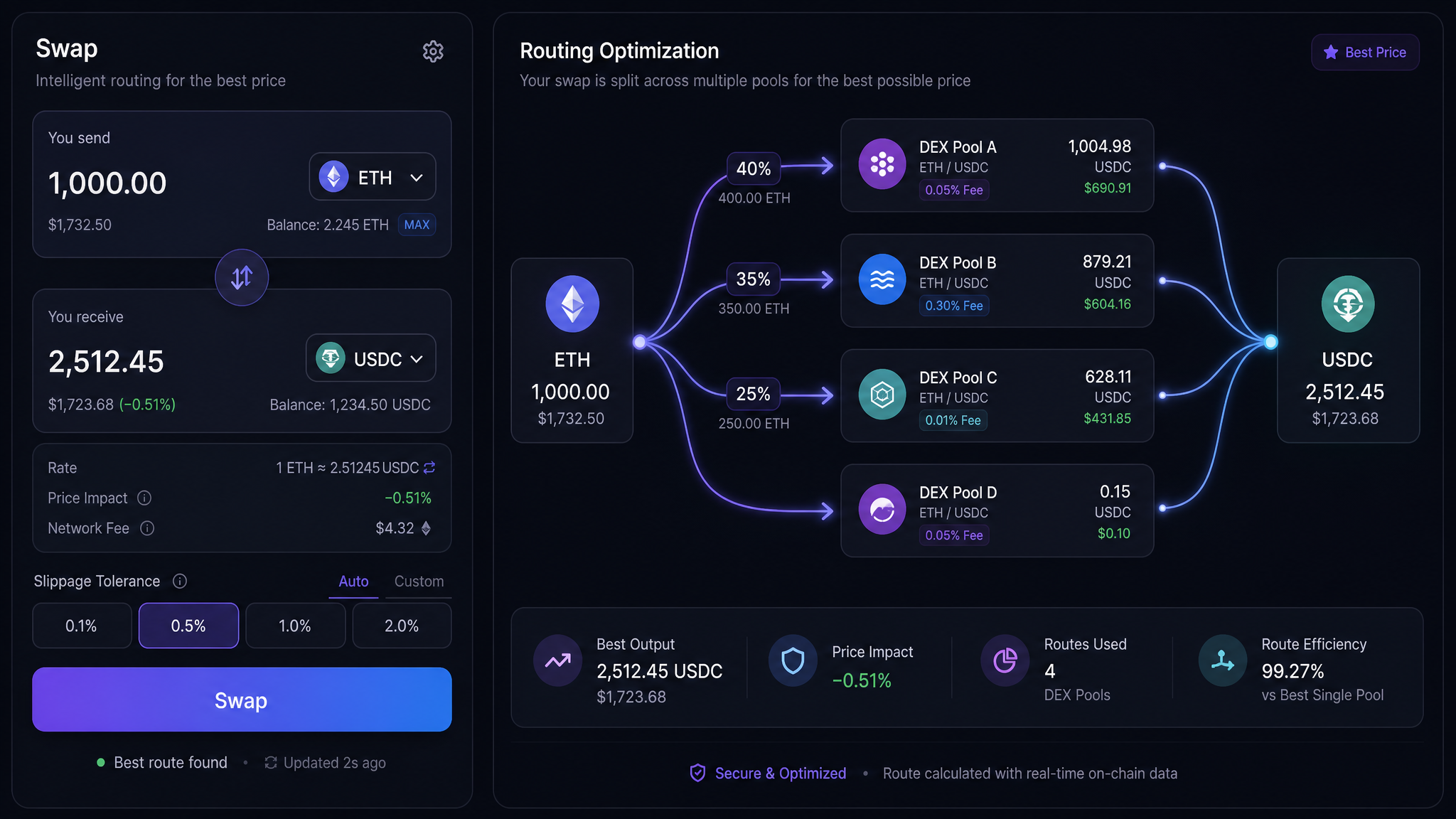
The swap interface is Jupiter's core feature. Here's how it works:
Basic Swap Process
- Select input token — Choose what you're selling (e.g., SOL, USDC)
- Select output token — Choose what you're buying (e.g., JUP, RAY, BONK)
- Enter amount — Jupiter shows you the estimated output and the route it will use
- Review settings — Click the gear icon to adjust slippage tolerance
- Click Swap — Confirm the transaction in your wallet
Slippage Settings: What You Need to Know
Slippage is the difference between the expected price and the actual execution price. For major pairs like SOL/USDC, 0.1–0.5% is fine. For volatile memecoins or low-liquidity tokens, you may need 1–5% or higher. Set it too low and your transaction fails; set it too high and you're vulnerable to sandwich attacks.
Jupiter's Ultra Mode handles slippage, routing, and priority fees automatically — great for beginners. Manual Mode gives you full control over every parameter, including MEV protection settings and specific DEX exclusions.
Checking Price Impact
For large trades, always check the "Price Impact" metric before confirming. If it's above 1–2%, consider splitting your trade into smaller chunks. A $50,000 SOL-to-BONK swap might move the market against you if executed all at once — splitting it into five $10,000 trades over a few minutes can save you real money.
Step 4: Use Limit Orders for Smarter Entries
Market swaps execute immediately at current prices. Limit orders let you set a target price and wait for the market to come to you. This is particularly useful when you want to buy a dip or sell into strength without watching charts all day.
How Jupiter Limit Orders Work
- Your order is held in an on-chain escrow account
- A network of "keeper" bots monitors prices and executes your order when conditions match
- You can cancel at any time and reclaim your funds from escrow
- No platform fee for limit orders (only standard Solana network fees)
Example: SOL is trading at $180. You believe it will dip to $165 before the next leg up. Set a limit buy for 10 SOL at $165 — Jupiter holds your $1,650 USDC in escrow and executes automatically when the price hits your target. You don't need to be online.
Step 5: Automate Purchases with DCA
Dollar-cost averaging is one of the most battle-tested strategies in crypto. Instead of trying to time the market (which almost nobody does consistently), you buy a fixed dollar amount at regular intervals. Jupiter's DCA feature automates this entirely on-chain.
Setting Up a DCA Order
- Navigate to the "DCA" tab on Jupiter
- Select your input token (usually USDC) and output token (e.g., SOL or JUP)
- Set the total amount you want to invest
- Choose the frequency: hourly, daily, weekly
- Set the number of orders (e.g., 30 daily buys = one month of DCA)
- Confirm and approve the transaction
Real example: You have $3,000 USDC and want to accumulate SOL over 30 days. Set up a DCA order for $100/day. Jupiter automatically buys $100 worth of SOL each day, regardless of price. Some days you buy at $175, some at $160, some at $190 — your average cost smooths out over time.
Want to sharpen your overall trading strategy beyond DCA? For a structured approach to learning crypto trading, Icoinpro offers step-by-step training that has helped thousands of beginners build consistent habits.
Step 6: Earn Yield with JupSOL Liquid Staking
If you're holding SOL long-term, liquid staking is a no-brainer. Instead of native staking (which locks your SOL), JupSOL lets you earn staking rewards while keeping your assets usable in DeFi.
How JupSOL Works
- Deposit SOL → receive JupSOL tokens
- JupSOL appreciates in value relative to SOL as staking rewards accrue
- Use JupSOL as collateral in lending protocols like Kamino
- Unstake anytime (subject to Solana's ~2-3 day unstaking period)
Current JupSOL APY in 2026 hovers around 7–9%, depending on network activity. That's passive income on SOL you were already holding.
Step 7: Advanced — Jupiter Perpetuals Trading
For experienced traders, Jupiter offers perpetual futures with up to 100x leverage on SOL, ETH, and BTC. Trades execute against the JLP (Jupiter Liquidity Provider) pool — meaning you're trading against liquidity providers, not other traders directly.
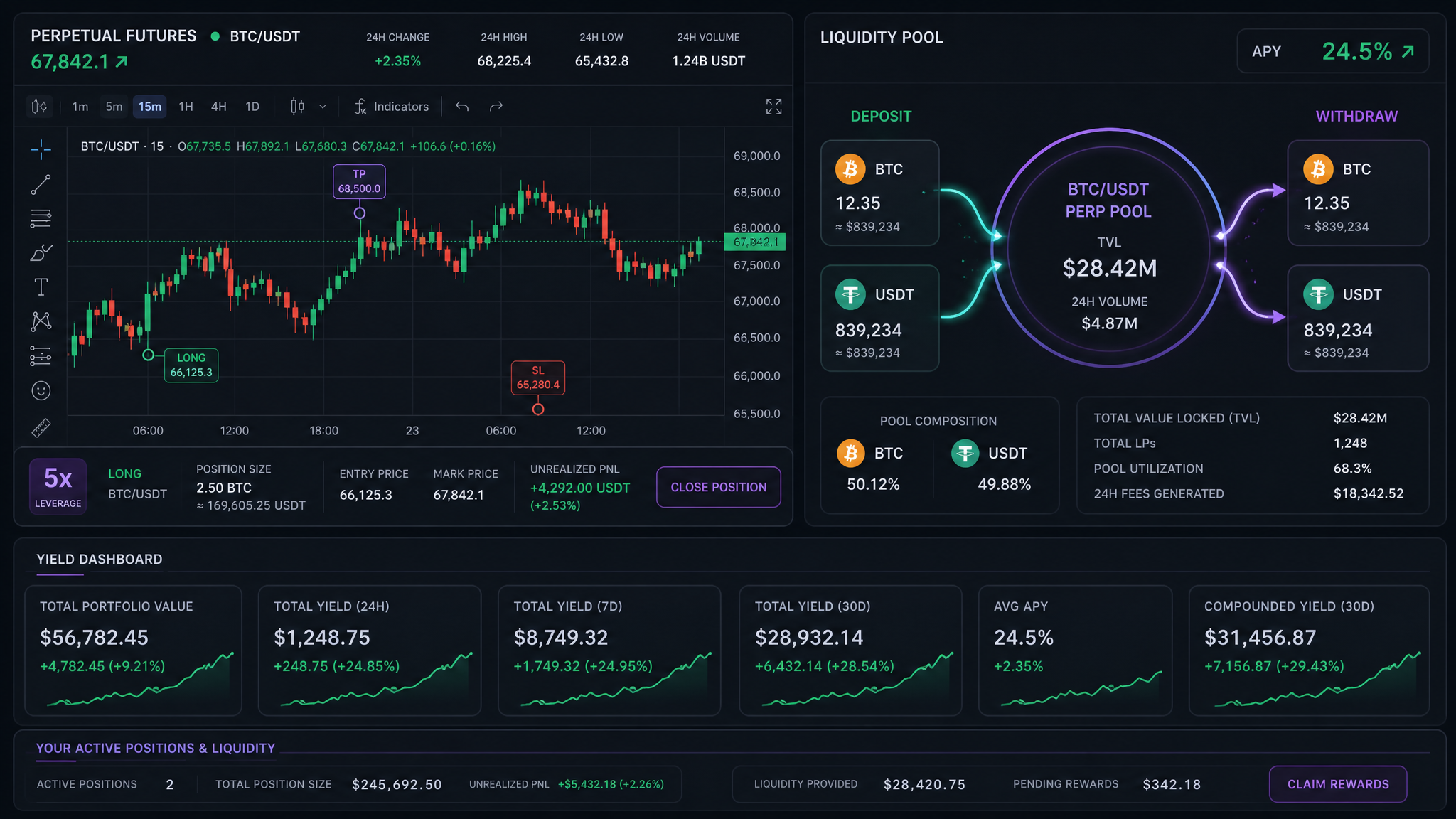
Important warning: Perpetuals with high leverage are extremely risky. A 10x leveraged position gets liquidated with a 10% adverse move. Only use this feature if you fully understand liquidation mechanics, funding rates, and position sizing. Start with 2–3x leverage maximum while learning.
JLP: Earn by Being the House
Instead of trading perps, you can provide liquidity to the JLP pool and earn a share of trading fees. JLP holders earn from every perpetual trade on Jupiter — but JLP value fluctuates based on trader performance and underlying asset prices. When traders lose, JLP gains. When traders win big, JLP takes the hit. It's a calculated risk, not a guaranteed yield.
Security Best Practices on Jupiter
DeFi security is your responsibility. Here's what separates experienced users from those who get drained:
- Always verify jup.ag — bookmark it, never click links from social media
- Check token addresses — before swapping into unfamiliar tokens, verify the contract on Birdeye or DEXScreener
- Enable MEV protection — prevents sandwich attacks on larger trades
- Use transaction simulation — Phantom and Rabby wallets preview transaction outcomes before you sign
- Audit approvals regularly — use Revoke.cash to disconnect your wallet from smart contracts you no longer use
- Keep long-term holdings in cold storage — only keep what you need for active trading in your hot wallet
The Trezor Model T offers top-tier security with an intuitive touchscreen interface — ideal for securing your long-term Solana and other crypto holdings offline.
Jupiter Fees: What You Actually Pay
One of Jupiter's strengths is its transparent fee structure:
- Manual Mode swaps: Zero Jupiter platform fee — you only pay underlying DEX fees and Solana network fees (fractions of a cent)
- Ultra Mode swaps: Up to 0.1% platform fee, typically offset by better routing
- Limit orders: No platform fee, only network fees
- DCA orders: Small fee per execution (typically 0.1%)
- Perpetuals: Opening/closing fees plus funding rates (varies by position)
Compare this to centralized exchanges charging 0.1–0.5% per trade plus withdrawal fees — Jupiter is genuinely competitive for active traders.
Common Mistakes to Avoid
A few things that trip up new Jupiter users:
- Insufficient SOL for fees — Always keep at least 0.05 SOL in your wallet. Running out of SOL mid-session means failed transactions.
- Ignoring price impact — Large trades in low-liquidity tokens can cost you 5–10% in slippage. Always check before confirming.
- Swapping unverified tokens — Scammers create fake tokens with names similar to legitimate projects. Always verify the contract address.
- Using high leverage without a plan — Perpetuals are powerful tools that require strict risk management. Define your stop-loss before entering any leveraged position.
- Tax implications — Every swap on Jupiter is a taxable event in most jurisdictions. Keep records of all transactions.
Actionable Takeaways
- ✅ Install Phantom wallet and fund it with at least 0.05 SOL before using Jupiter
- ✅ Always access Jupiter at jup.ag — bookmark it and never click links from DMs
- ✅ Use Ultra Mode for simple swaps; Manual Mode when you need precise control
- ✅ Set limit orders to buy dips automatically without watching charts
- ✅ Use DCA to accumulate SOL or JUP over time with reduced volatility risk
- ✅ Consider JupSOL for passive staking yield on long-term SOL holdings
- ✅ Keep long-term holdings in a hardware wallet — only trade with what you need
- ✅ Verify every token address before swapping into unfamiliar assets
DeFi moves fast. Your trading skills need to keep up.
Whether you're yield farming or trading tokens, the fundamentals of reading charts, managing risk, and timing entries apply everywhere in crypto. Those skills are worth developing properly.
The program I recommend to people who ask me is this crypto trading course — it\'s the one I point friends and family to when they\'re serious about learning. Daily lessons, live analysis, and a community that actually helps.
Affiliate link — I may earn a commission at no extra cost to you. I only recommend what I genuinely use.
Disclaimer: The information provided on this website is for educational and informational purposes only. It should not be considered financial or investment advice. Cryptocurrency investments carry significant risk. Always do your own research and consult with a qualified financial advisor before making investment decisions.
Free Crypto Insights
Get weekly trading tips, market analysis, and exclusive strategies delivered to your inbox.